2026-02-28 ·
Secure Key Management in 2026: Your Complete Guide to API Security
Secure key management is the practice of safely storing, distributing, and controlling access to API keys and authentication credentials throughout their lifecycle. It's the foundation of API security that prevents unauthorized access to your systems and customer data.
Here's the thing about API keys: they're everywhere in modern applications. Every integration, every third-party service, every customer connection relies on them. But most teams treat them like an afterthought until something goes wrong. A single exposed key can lead to data breaches, service disruptions, and compliance violations.
In this guide, you'll learn why traditional key management approaches fall short, how to implement enterprise-grade security practices, and the specific steps to protect your API infrastructure. We'll cover everything from basic storage principles to advanced rotation strategies that scale with your business.
Key Takeaways
- API key breaches cost companies an average of $4.45 million per incident in 2026
- Automated key rotation reduces security incidents by 73% compared to manual processes
- Role-based access control limits exposure by ensuring only necessary team members access specific keys
- Customer-managed portals eliminate 80% of support tickets related to API key issues
- Real-time monitoring catches unauthorized access attempts within minutes, not days
Why Is API Key Management So Challenging for Development Teams?
Let's be honest: most teams start with API keys scattered across config files, shared in Slack messages, or worse — hardcoded in repositories. It seems harmless when you're moving fast, but this approach creates serious problems as you scale.
The biggest issue is visibility. When keys live in multiple places, no one knows who has access to what. Team members leave, contractors finish projects, and those keys keep working. You end up with ghost access that's impossible to track.
Then there's the customer side. Every integration requires API keys, and customers constantly need help managing them. They forget keys, accidentally expose them, or can't figure out why their integration stopped working. Your support team becomes a key management helpdesk instead of focusing on real product issues.
Compliance adds another layer of complexity. Regulations require audit trails, regular rotation, and specific access controls. Manual processes can't keep up with these requirements, especially when you're managing hundreds or thousands of keys across multiple environments.
- Keys scattered across multiple systems and team members
- No visibility into who has access to which credentials
- Constant customer support requests for key-related issues
- Manual rotation processes that don't scale
- Compliance requirements that demand detailed audit trails
How Do You Build a Secure Key Management System That Actually Works?
Effective secure key management starts with centralization. All keys need to live in one secure location with proper access controls. This isn't just about storage — it's about creating a system that handles the entire key lifecycle from generation to retirement.
The solution has three core components: automated processes, granular permissions, and customer self-service. Automation handles routine tasks like rotation and monitoring. Granular permissions ensure team members only access keys they actually need. Customer self-service eliminates most support requests while giving customers the control they want.
Modern platforms solve this with AI-powered bridge generation that creates secure integrations in minutes. Instead of manually handling each key, you describe what you need and the system generates production-ready code with built-in security practices.
Team management with role-based access control lets you invite your engineering team, assign specific bridges to owners, and manage permissions at a granular level. Everyone sees exactly what matters to them, nothing more.
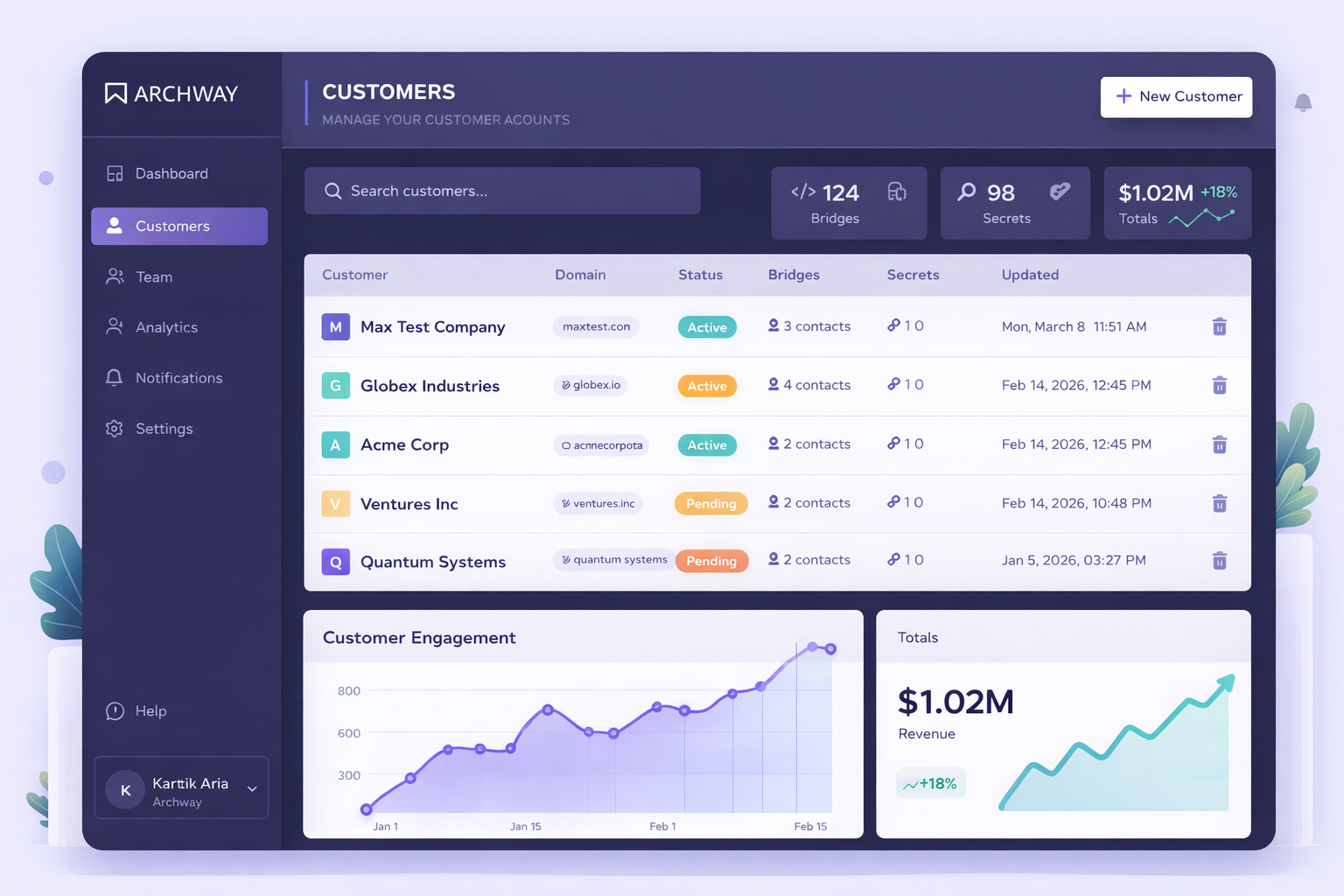
Customer portals take the burden off your support team. Each customer gets a branded dashboard to manage their own API keys, view integration status, and trigger actions without contacting support. This approach scales naturally as your customer base grows.
How to Implement Secure Key Management: A Step-by-Step Guide
Building secure key management doesn't have to be overwhelming. Follow these steps to create a system that protects your APIs while making life easier for your team and customers.
1. Audit Your Current Key Landscape
Start by mapping every API key in your system. Check code repositories, configuration files, team chat histories, and documentation. Create a spreadsheet listing each key, its purpose, who has access, and when it was last rotated. This audit reveals the scope of your security exposure and helps prioritize which keys need immediate attention.
2. Establish a Centralized Key Store
Move all keys to a secure, centralized location with proper encryption at rest and in transit. Choose a solution that supports environment separation (development, staging, production) and integrates with your existing infrastructure. The key store should log all access attempts and changes for compliance and security monitoring.
3. Implement Role-Based Access Control
Define roles based on job functions and assign minimum necessary permissions. Developers might need read access to development keys but not production. Support staff might need view-only access to help customers troubleshoot. Use the principle of least privilege — team members should only access keys required for their specific responsibilities.
4. Set Up Automated Key Rotation
Configure automatic rotation schedules based on key sensitivity and compliance requirements. Critical production keys might rotate monthly, while development keys rotate quarterly. The system should handle rotation seamlessly, updating all dependent services and notifying relevant team members. Test rotation processes in development before applying to production.
5. Deploy Customer Self-Service Portals
Create branded dashboards where customers can manage their own API keys, view usage statistics, and monitor integration health. Include clear documentation and troubleshooting guides to reduce support requests. The portal should allow customers to regenerate keys, view rate limits, and access real-time status information about their integrations.
6. Enable Monitoring and Alerting
Set up real-time monitoring for unusual access patterns, failed authentication attempts, and key usage anomalies. Configure alerts for events like keys approaching expiration, unauthorized access attempts, or usage spikes that might indicate compromised credentials. Use one-click deployment and monitoring tools to track every API invocation and catch errors immediately.
Frequently Asked Questions
How often should API keys be rotated for optimal security?
Production API keys should be rotated every 30-90 days depending on their sensitivity level. High-privilege keys that access customer data or financial systems need monthly rotation, while lower-risk development keys can rotate quarterly. The key is consistency — automated rotation ensures this happens reliably without manual intervention.
What's the difference between API key management and general secret management?
API key management focuses specifically on the lifecycle of keys used for service-to-service authentication and customer integrations. It includes features like customer portals, usage monitoring, and integration-specific controls. General secret management covers all types of credentials but lacks the specialized tools needed for API-driven businesses.
Can customers manage their own API keys without compromising security?
Yes, when implemented correctly. Customer portals provide self-service capabilities while maintaining security boundaries. Customers can regenerate keys, view usage, and manage their own access without seeing other customers' data or accessing your internal systems. This approach actually improves security by reducing the number of people who handle keys internally.
How do you handle key management across multiple environments?
Use environment separation with distinct key stores for development, staging, and production. Each environment should have its own access controls and rotation schedules. Development keys can have relaxed policies for faster iteration, while production keys require strict controls and audit trails. Never use production keys in non-production environments.
What compliance requirements affect API key management?
Common requirements include SOC 2 (access controls and monitoring), PCI DSS (if handling payment data), GDPR (for EU customer data), and HIPAA (for healthcare). These regulations typically require audit trails, regular access reviews, encryption standards, and documented security procedures. Automated key management platforms help meet these requirements with built-in compliance features.
Ready to Secure Your API Keys?
Stop worrying about exposed credentials and support tickets. Implement enterprise-grade key management that scales with your business.