2026-02-28 ·
One-Click Deploy & Monitor: Instant Integration Deployment in 2026
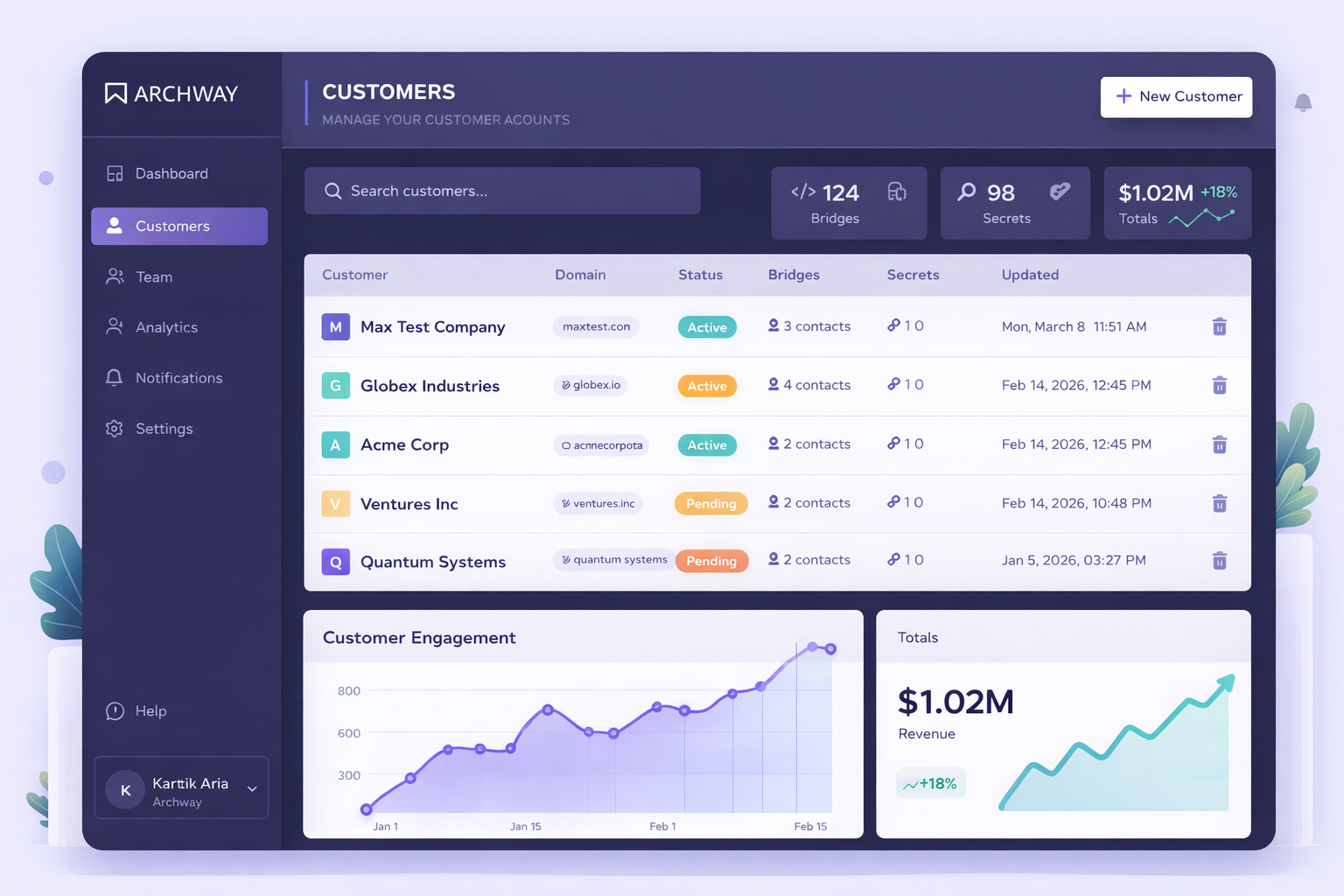
One-Click Deploy & Monitor is a feature that lets you deploy integration bridges to live URLs instantly and track their performance in real-time. It eliminates the traditional deployment pipeline by providing immediate production access with built-in monitoring and customer visibility.
If you've ever waited weeks for integration deployments or struggled to troubleshoot live API connections, you know the pain. Traditional deployment processes involve multiple environments, approval chains, and manual monitoring setup. This creates delays that frustrate customers and slow down business growth.
Here's how One-Click Deploy & Monitor works and why it's changing how teams handle integration deployments. You'll learn the specific steps to deploy instantly, monitor performance, and give your customers the visibility they need.
Key Takeaways
- One-Click Deploy & Monitor cuts deployment time from weeks to minutes with instant live URL generation
- Built-in monitoring tracks every API invocation and catches errors automatically
- Customer portals provide branded dashboards for API key management and bridge status visibility
- Real-time performance tracking helps identify issues before they impact business operations
- Integration teams can deploy and monitor without complex DevOps setup or approval processes
Why Are Integration Deployments So Complex and Time-Consuming?
Traditional integration deployment creates bottlenecks that slow down business operations. Most teams face a multi-week process that involves development environments, staging servers, and production approval chains. Each step requires coordination between different teams and manual verification.
The monitoring setup adds another layer of complexity. Teams must configure logging systems, set up alerting, and create dashboards. This process often takes longer than building the actual integration. When issues arise in production, troubleshooting becomes a guessing game without proper visibility.
Customers get frustrated because they can't see what's happening with their integrations. They submit support tickets for basic status checks. Your engineering team spends time on support calls instead of building new features. This creates a cycle where deployment delays lead to more support overhead.
- Multi-week deployment cycles with complex approval processes
- Manual monitoring setup that takes longer than integration development
- Customer support overhead from lack of integration visibility
- Troubleshooting difficulties without real-time performance data
- Resource allocation problems as engineers handle support instead of development
How Does One-Click Deploy & Monitor Solve These Deployment Challenges?
One-Click Deploy & Monitor eliminates the traditional deployment pipeline by providing instant production access. When you click deploy, the system generates a live URL immediately. No staging environments or approval workflows needed. Your integration goes live in seconds, not weeks.
The built-in monitoring starts tracking performance automatically. Every API call gets logged with response times, error rates, and payload details. You see exactly what's happening without setting up separate monitoring tools. The system catches errors in real-time and provides detailed debugging information.
Customer portals give your clients direct visibility into their integrations. They can view bridge status, manage API keys, and trigger actions without contacting support. This reduces your team's support load while improving customer satisfaction. Each customer gets a branded dashboard that matches their company's look and feel.
Team management features let you assign bridge ownership and control access permissions. Your SE team can deploy and monitor their own integrations without waiting for DevOps approval. Everyone sees the information that matters to their role, creating clear accountability and faster problem resolution.
How to Deploy and Monitor Integrations with One-Click Deploy
Follow these steps to deploy your integration and set up monitoring in minutes. Each step builds on the previous one to create a complete deployment and monitoring solution.
1. Prepare Your Integration Bridge
Write your TypeScript integration code using the built-in code editor. The editor provides syntax highlighting, autocomplete, and instant validation. Test your bridge logic to ensure it handles the expected API calls and data transformations correctly.
2. Click Deploy to Generate Live URL
Click the deploy button to instantly generate a production-ready URL. The system creates a secure endpoint that can handle live API traffic immediately. No configuration files or environment setup required - your integration goes live in seconds.
3. Configure Customer Portal Access
Set up branded customer portals for each client who will use the integration. Upload their logo and customize the dashboard colors to match their brand. Configure which information each customer can view and what actions they can perform.
4. Set Up Team Permissions and Ownership
Assign bridge ownership to specific team members and configure role-based access controls. Invite your SE team members and define who can deploy, monitor, or modify each integration. This creates clear accountability and prevents unauthorized changes.
5. Monitor Performance and Handle Errors
Use the real-time monitoring dashboard to track API invocations, response times, and error rates. Set up alerts for specific error conditions or performance thresholds. When issues occur, use the detailed logs to identify root causes quickly.
6. Enable Customer Self-Service
Train customers to use their portal for common tasks like API key rotation and status checking. This reduces support tickets and gives customers immediate answers to their questions. Monitor portal usage to identify areas where customers need additional guidance.
Frequently Asked Questions
How quickly can I deploy an integration with One-Click Deploy?
Deployments happen instantly with a single click. Once you click deploy, the system generates a live URL in seconds. There are no staging environments or approval processes to slow down the deployment. Your integration becomes production-ready immediately after clicking the deploy button.
What monitoring data does the system collect automatically?
The system tracks every API invocation with complete details including response times, error rates, payload sizes, and status codes. It also logs error messages, request headers, and timing information for each call. This data appears in real-time dashboards without any additional setup or configuration.
Can customers see their integration status without contacting support?
Yes, each customer gets a branded portal where they can view bridge status, manage API keys, and trigger actions independently. The portal shows real-time performance data and error information specific to their integration. This eliminates most support tickets related to status checks and basic troubleshooting.
How do I control who can deploy and monitor integrations on my team?
Use role-based access controls to assign specific permissions to each team member. You can designate bridge owners, set deployment permissions, and control monitoring access levels. Team members only see the integrations and data relevant to their role, creating clear accountability.
What happens if my integration encounters errors in production?
The monitoring system catches errors automatically and provides detailed debugging information including error messages, request data, and timing details. You receive real-time alerts when errors occur, and the logs help you identify root causes quickly. Customers can also see error status in their portal, reducing support inquiries.
Deploy Your First Integration in Minutes
Experience instant deployment and real-time monitoring without complex DevOps setup. See how One-Click Deploy & Monitor transforms your integration workflow.