2026-02-28 ·
Customer Portals: Give Your Customers Self-Service Control in 2026
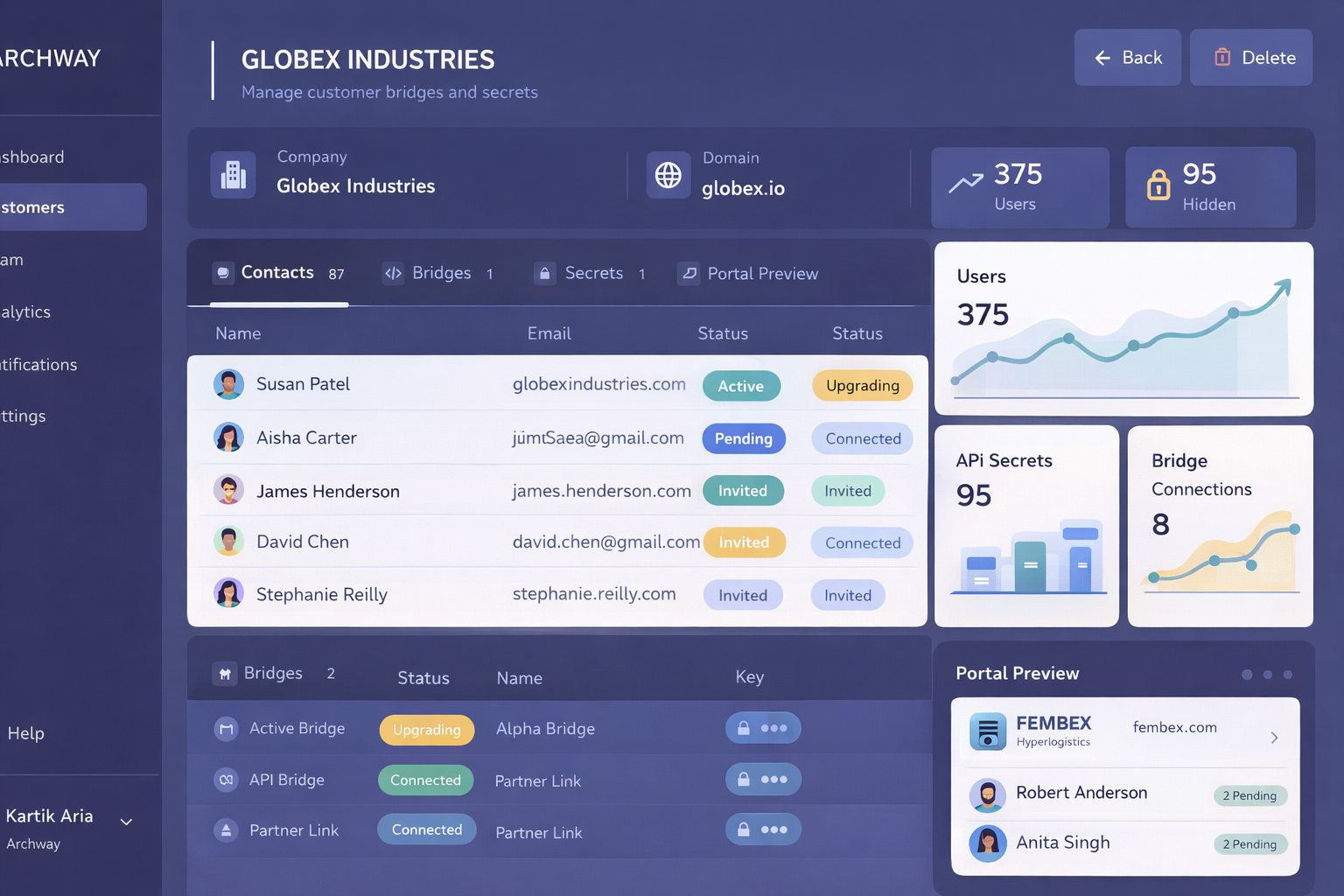
Customer portals are branded dashboards that let your customers manage their own integrations, API keys, and bridge status without needing engineering support. They're the self-service solution that turns integration management from a support ticket nightmare into something your customers can handle themselves.
If you've ever fielded a 2 AM support request about a broken integration or spent hours walking a customer through API key rotation, you know the pain. Your customers want the same level of control over their integrations that they have over their Netflix account or Slack workspace. They want to see what's working, fix what's broken, and make changes without waiting for your team.
In this post, you'll learn why customer portals are becoming essential for B2B companies, how they solve common integration headaches, and exactly how to set one up that your customers will actually use.
Key Takeaways
- Customer portals reduce support tickets by letting users manage their own API keys and integration status
- Self-service portals can cut integration-related support requests by up to 70%
- Modern portals include real-time bridge monitoring, error tracking, and one-click troubleshooting
- Branded dashboards improve customer satisfaction while reducing engineering overhead
Why Do Integration Support Requests Keep Piling Up?
Your support team gets the same questions over and over. "Why isn't my integration working?" "How do I rotate my API keys?" "Can you check if the bridge is running?" Each ticket takes time to investigate, diagnose, and resolve.
The problem isn't that your customers are demanding. It's that they have zero visibility into their integrations. When something breaks, they can't see what's wrong. When they need to make changes, they can't do it themselves. They're forced to create support tickets for things they could easily handle on their own.
This creates a bottleneck that hurts everyone. Your customers wait for fixes. Your support team gets overwhelmed. Your engineers get pulled into debugging sessions instead of building new features. And your customer success team has to manage frustrated users who just want their integrations to work.
- Support teams spend 40% of their time on integration-related tickets
- Customers wait an average of 24-48 hours for basic integration support
- Engineering teams lose 15-20% of their time to integration troubleshooting
- Customer satisfaction drops when users can't control their own integrations
How Do Customer Portals Solve Integration Support Chaos?
Customer portals flip the script. Instead of your customers being blind to their integrations, they get a branded dashboard with full visibility and control. They can see bridge status in real-time, manage API keys, trigger actions, and troubleshoot issues themselves.
Think of it like giving your customers admin access to their own integration environment. They can monitor performance, check error logs, and make configuration changes without opening a support ticket. When something does go wrong, they have the tools to diagnose and often fix it themselves.
The best customer portals include real-time monitoring that shows exactly what's happening with each integration. Customers can see successful API calls, catch errors as they happen, and get detailed logs for troubleshooting. This transparency builds trust and reduces the anxiety that comes with "black box" integrations.
Modern portals also include one-click actions for common tasks. Need to refresh an API key? One click. Want to restart a bridge? One click. Need to check the last sync status? It's right there on the dashboard. These simple actions eliminate most routine support requests.
How to Build a Customer Portal That Actually Gets Used
Creating a customer portal isn't just about building another dashboard. It's about designing an experience that your customers will want to use instead of creating support tickets.
1. Start with branded design that matches your product
Your portal should feel like part of your product, not a separate tool. Use your brand colors, fonts, and design patterns. Customers should feel like they're still in your ecosystem, not using some generic third-party dashboard.
2. Focus on the three most common support requests
Look at your support tickets from the last three months. What are customers asking for most often? Usually it's API key management, integration status checks, and error troubleshooting. Build these features first before adding advanced functionality.
3. Make real-time monitoring the centerpiece
Your customers need to see what's happening right now, not what happened yesterday. Show live bridge status, recent API calls, and current error rates. Use clear visual indicators like green/red status badges that anyone can understand at a glance.
4. Include self-service actions for routine tasks
Add one-click buttons for common actions like API key rotation, bridge restarts, and manual sync triggers. Each action should show immediate feedback and confirm what happened. No one should have to guess if their action worked.
5. Provide detailed logs without overwhelming users
Include error logs and activity history, but present them in a way that non-technical users can understand. Use plain English error messages and provide suggested solutions for common issues.
6. Test with real customers before launch
Get your portal in front of actual customers before you go live. Watch how they navigate it and what confuses them. The best portals are designed based on real user behavior, not assumptions about what customers want.
Frequently Asked Questions
What features should a customer portal include?
Essential features include API key management, real-time bridge status monitoring, error logs, and one-click troubleshooting actions. Advanced portals also include custom branding, role-based access controls, and integration analytics.
How much does a customer portal reduce support tickets?
Well-designed customer portals typically reduce integration-related support tickets by 60-70%. The biggest impact comes from self-service API key management and real-time status visibility.
Do customers actually use self-service portals?
Yes, when they're designed well. Customers prefer self-service for routine tasks like checking status and managing credentials. The key is making the portal easier to use than creating a support ticket.
How long does it take to build a customer portal?
Building from scratch can take 3-6 months. Using existing tools with portal capabilities, you can launch a basic version in days or weeks. The timeline depends on customization needs and integration complexity.
What's the ROI of implementing customer portals?
ROI comes from reduced support costs and improved customer satisfaction. Companies typically see 3-5x ROI within the first year through decreased support ticket volume and higher customer retention rates.
Ready to Give Your Customers Self-Service Control?
See how easy it is to create branded customer portals that reduce support tickets and improve customer satisfaction.