2026-02-28 ·
AI-Powered Bridge Generation: Build API Integrations in Minutes, Not Sprints (2026)
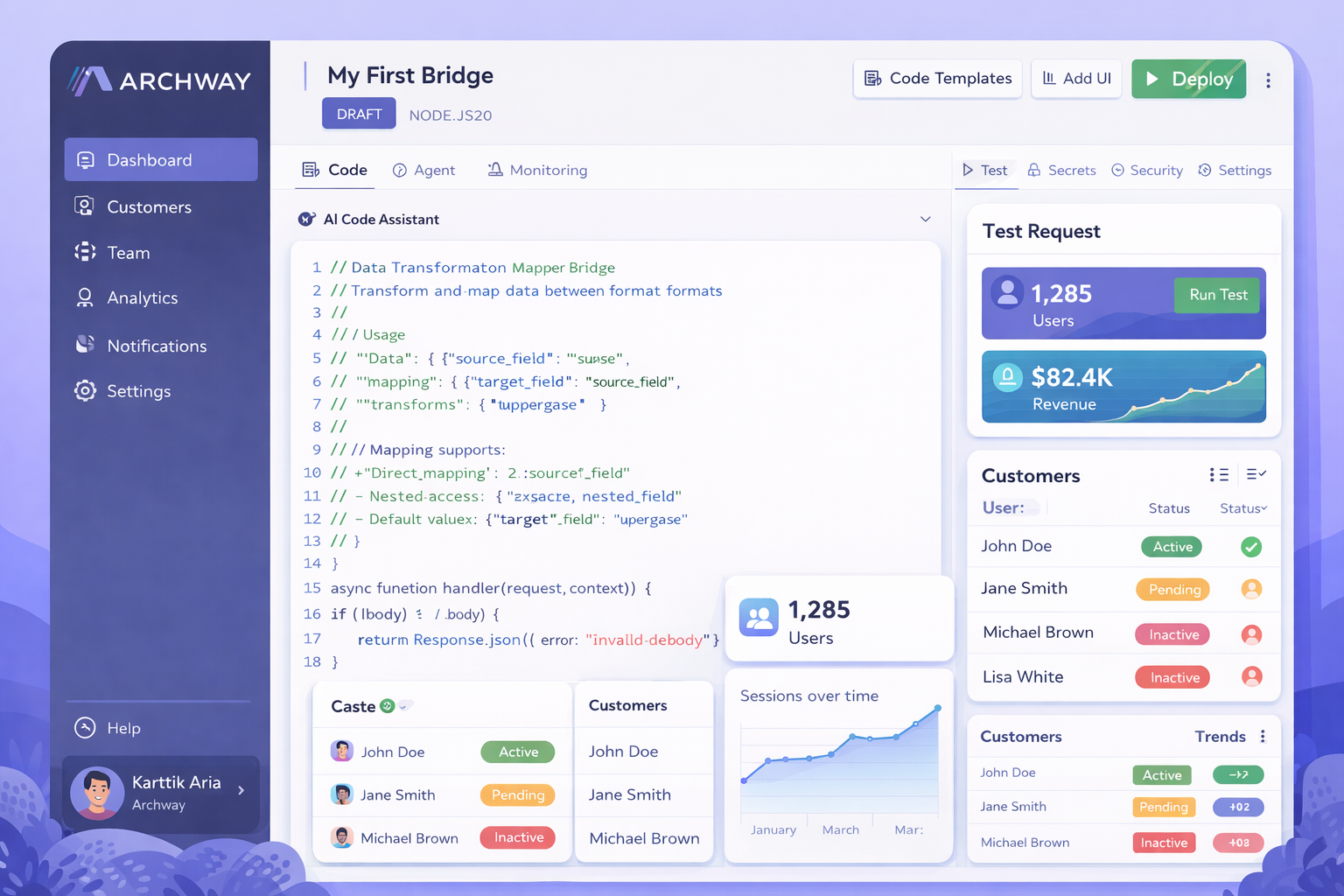
AI-Powered Bridge Generation is a technology that automatically creates production-ready integration code from natural language descriptions, reducing development time from weeks to minutes. Instead of manually writing complex API integration code, developers can simply describe what they need and receive fully functional TypeScript bridges ready for deployment.
If you've ever spent days wrestling with API documentation, debugging connection issues, or writing the same integration patterns over and over, you know the pain. Every new customer integration feels like starting from scratch. You're copying code from previous projects, adapting it for new endpoints, and hoping nothing breaks in production.
This changes everything. In this post, you'll learn how AI-powered bridge generation works, why it's becoming essential for modern development teams, and exactly how to implement it in your workflow. We'll cover the step-by-step process, common challenges, and practical tips to get you building integrations faster than ever before.
Key Takeaways
- AI-Powered Bridge Generation reduces integration development time from weeks to minutes
- Developers describe integration needs in plain English and receive production-ready TypeScript code
- Built-in validation and error handling eliminate common integration bugs before deployment
- Teams can deploy bridges with one-click and monitor performance through automated dashboards
- Customer portals provide self-service API key management without engineering support
Why Are API Integrations So Time-Consuming?
Building API integrations traditionally requires significant development resources and time. Each new integration means studying API documentation, understanding authentication methods, mapping data fields, and writing custom code to handle edge cases.
The biggest challenge is that every API is different. One uses OAuth 2.0, another requires API keys, and a third uses custom headers. Data formats vary wildly. Error handling needs to be built from scratch each time. What should be a simple connection between two systems becomes a multi-week development project.
Then there's maintenance. APIs change. Endpoints get deprecated. Rate limits shift. Your integration code needs constant updates to stay functional. This creates ongoing technical debt that pulls developers away from core product work.
Many teams end up with a backlog of integration requests from customers. Each new partnership or customer requirement adds to the pile. Sales teams make promises about quick integrations, but engineering knows the reality - it's going to take at least two sprints.
- Each API integration requires weeks of custom development work
- Constantly switching between different authentication methods and data formats
- Ongoing maintenance as APIs change and deprecate endpoints
- Growing backlog of customer integration requests
How Does AI-Powered Bridge Generation Solve This?
AI-Powered Bridge Generation transforms integration development by automating the entire code creation process. Instead of manually writing integration logic, you describe what you need in plain English. The AI analyzes your requirements and generates complete, production-ready TypeScript code.
The system handles authentication automatically. Whether the target API uses OAuth, API keys, or custom headers, the generated code includes the correct authentication flow. Data mapping happens intelligently, with the AI understanding common field relationships and transformations.
Error handling comes built-in. The generated bridges include retry logic, rate limiting, and proper error responses. This eliminates the debugging cycle that usually follows initial integration attempts. Your code works correctly from the first deployment.
Team management becomes streamlined through role-based access control. You can assign bridge ownership, manage permissions, and ensure everyone sees relevant integrations. Customer portals provide self-service capabilities, letting clients manage their own API keys and monitor bridge status without contacting support.
One-click deployment means your bridges go live immediately. Built-in monitoring tracks every API call, catches errors in real-time, and provides visibility through automated dashboards. Customers get their own branded portal to view integration status and trigger actions independently.
How to Build Your First AI-Generated Bridge
Creating an integration bridge with AI generation follows a straightforward process. The key is providing clear, specific descriptions of what you want to achieve. Here's exactly how to build your first bridge from start to finish.
1. Describe Your Integration Requirements
Start by writing a clear description of what your bridge should do. Include the source and destination systems, data fields to map, and any specific business logic. For example: 'Pull customer orders from Shopify every hour and create invoices in QuickBooks, mapping customer email to billing contact.' The more specific you are, the better the generated code will match your needs.
2. Configure Authentication Settings
Provide the necessary API credentials and authentication details. The system automatically detects the authentication method required by each API. Simply paste your API keys, OAuth tokens, or other credentials. The AI generates the correct authentication flow and securely stores your credentials for future use.
3. Review and Customize Generated Code
Examine the AI-generated TypeScript code in the built-in editor. The code includes syntax highlighting, autocomplete, and instant validation. Make any necessary adjustments to business logic, add custom transformations, or modify error handling. The editor provides real-time feedback on code quality and potential issues.
4. Test Your Bridge Logic
Run test executions to verify your bridge works correctly. The system provides sample data and simulates API calls without affecting production systems. Check that data mapping works as expected, authentication succeeds, and error handling responds appropriately. Fix any issues before deployment.
5. Deploy to Production Environment
Use one-click deployment to publish your bridge to a live URL. The system automatically provisions infrastructure, sets up monitoring, and creates customer-facing dashboards. Your bridge becomes immediately available for use with full logging and error tracking enabled.
6. Monitor Performance and Usage
Track bridge performance through automated dashboards. Monitor API call volumes, response times, error rates, and customer usage patterns. Set up alerts for failures or performance issues. Customers can view their own integration status and logs through their branded portal without requiring engineering support.
Frequently Asked Questions
How accurate is the AI-generated integration code?
The AI generates production-ready code with built-in error handling, authentication, and data validation. The code includes proper TypeScript types, retry logic, and follows best practices for API integrations. Most bridges work correctly on first deployment, though you can review and modify the code before going live.
Can I customize the generated bridge code?
Yes, you have full access to modify the generated TypeScript code. The built-in code editor provides syntax highlighting, autocomplete, and instant validation. You can add custom business logic, modify data transformations, or adjust error handling to meet specific requirements.
What happens when APIs change or get updated?
The system monitors API changes and alerts you when endpoints are deprecated or modified. You can regenerate bridge code with updated API specifications, and the AI will adjust authentication, data mapping, and error handling automatically while preserving your custom modifications.
How do customers manage their own API integrations?
Each customer receives a branded portal where they can manage API keys, view bridge status, trigger manual syncs, and access integration logs. This eliminates most support requests related to integration issues, as customers can troubleshoot and manage their connections independently.
Is the generated code secure for production use?
Yes, the AI follows security best practices including proper credential storage, encrypted data transmission, and secure authentication flows. All generated code includes input validation, rate limiting, and error handling to prevent common security vulnerabilities.
Start Building AI-Generated Bridges Today
Transform weeks of integration development into minutes of simple descriptions. Create your first production-ready bridge and see the difference AI-powered generation makes.